Features

Editor and chapters

Every scene saves as chapters that read like a book. Edit any line, start another story in the same world, or make a copy of a world you built.

The problem

In a chat app a roleplay is one long scroll. A bad reply stays where it is, the good night from last week is hard to find, and trying another path means starting over from nothing. Lunafic keeps your roleplay as a story you can fix, read again, and play again another way.

Two kinds of worlds

Is it a fiction editor or chat roleplay?

Both. You play it like a chat, and you can edit any line like a book, in every world.

Playable World

Someone built it, you play it

Talk with the characters like a chat. If a reply is wrong, retry it, remove it, or fix the line yourself.

EndminWelcome to Stockade
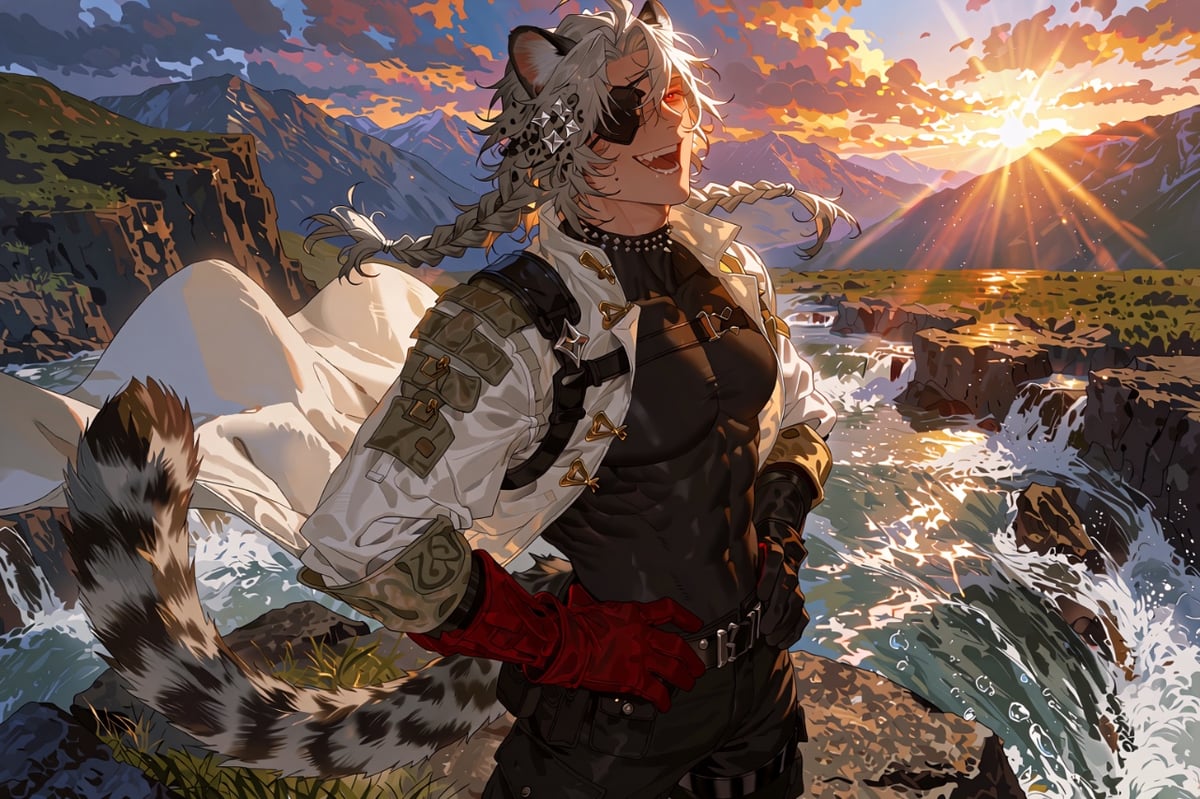
Spray from the falls drifted over the rocks. Bai Tang stood right at the edge, fists on his hips, tail swinging.

Bai Tang"Gaoo~! You're late, Darkmask! From today, you're the Third Seat of Qingbo Stockade!"

Bai Tang(...My ears aren't twitching, right? I'm not making a weird face, right?)

He held out a fist and waited, grinning, for yours.

RetryRemove

like co-op. you play in their world, you don’t redraw their map

Want other people to play your world? Build a Playable World

One world, several stories

A world can hold more than one of your stories. Each new story starts fresh in the same world, with its own chapters and its own memory, so you can play it again as another role or take it another way. Your first story stays exactly as it was.

Shade of Death can't be this cute

The same Wiki and characters for every story

  1. Story 1

  2. Story 2

  3. Story 3

Each story keeps its own chapters and its own memory. Nothing from one story shows up in another.

Duplicate world

For a world you built, Duplicate world makes a full copy. You pick what kind of copy, and the original never changes.

How it works

  • Fix any line

    Every line can be edited like a book, yours or the characters', in your own world and in a Playable World someone else built. Fixing a line by hand uses no AI usage, and retry or remove is there when you want a new reply.

  • Chapters

    Your story saves as chapters in reading order. Start the next one with the plus, or type /newchapter in the reply line. The memory carries every chapter.

  • Several stories in one world

    Press New session in your Library, or Start a new path on the world page, and play the same world again from the start. Each story has its own chapters and memory, and the first one stays untouched.

  • Duplicate world

    In your Library, open the menu of a world you built and press Duplicate world. A Playable copy gets its own roles and endings and is published on its own. A Private copy is just for you and opens a story right away.

Questions people ask

Is Lunafic a chat or a story editor?

Both at once. You play by typing your character's lines in the reply line, the way you would in a chat, and every scene saves as chapters that read like a book. The AI plays everyone else and never writes your character. When a reply is not right you can retry it, remove it, or open it and fix the line yourself, in every world you play. Search finds any line again, and the memory carries every chapter.

Can I try a scene another way without losing my story?

Yes. Start another story in the same world. Lunafic used to have branches inside one story, and almost nobody used them, so we took them out. Now you press New session in your Library, or Start a new path on the world page, and play the world again from the start, as the same role or another one. Each story keeps its own chapters and memory, and your first story stays exactly as it was. Branches you already made stay readable.

What does Duplicate world do?

It makes a full copy of a world you built, with every Wiki entry and panel. You choose the kind of copy. A Playable copy is a second world with its own roles, starting choices, and endings, and you edit it and publish it on its own. A Private copy turns the game layer off, is just for you, and opens a new story so you can start playing right away. The original world and the stories in it stay exactly as they are.

Can I export my story?

In your own private world, yes, on every plan. Open Tools in the right panel and export the chapter you are in as a DOCX or HTML file, or copy it with its formatting, and the speakers, languages, and scene breaks come along. In a Playable World the world belongs to its author, so export stays on the author side. Either way your story is private, and zero stories are used to train AI.

Start a story and edit any line

Free to start, no credit card required.

Free to start, no credit card required.

Official MemberNVIDIA Inception Program

More features

We use cookies to improve your experience and analyze traffic. You can accept or reject non-essential cookies.